

Your AI-Coded App Worked in Testing. Why Did It Break in Production?
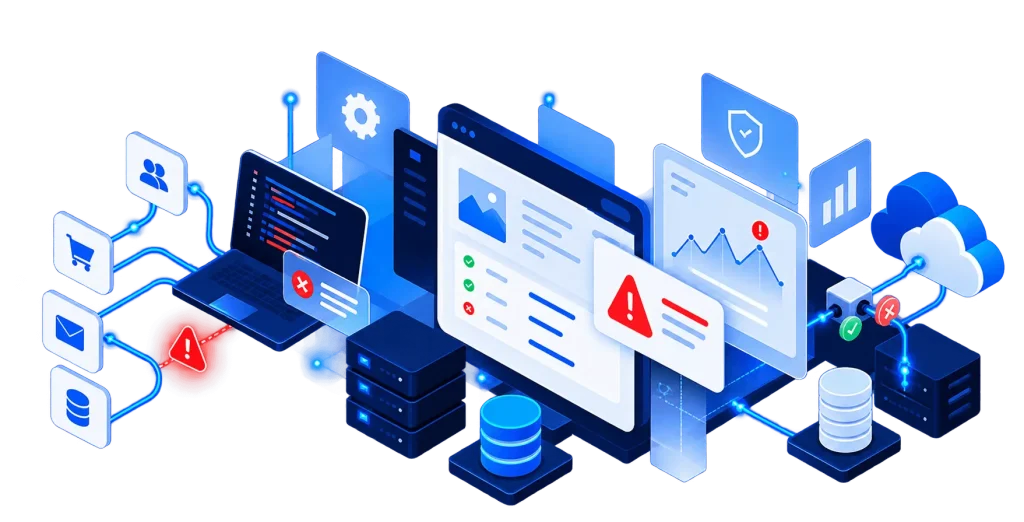
You built an application using AI. The forms worked, the dashboard looked good, and you could create accounts, submit information, and navigate between pages without any obvious problems.
Then you launched it, and things started going wrong. Customers reported duplicate submissions, records stopped reaching your CRM, and confirmation emails went out for actions that never actually completed. The application that worked perfectly during testing suddenly had problems you hadn't anticipated.
Why does an AI-built application work in testing but break in production?
Usually, it's because the application was built around what was supposed to happen without accounting for everything that could go wrong. A working demo proves that a feature functions under certain conditions. Production software has to account for simultaneous requests, unreliable networks, third-party outages, security boundaries, and unexpected user behavior.
These problems aren't exclusive to AI-generated code. They're familiar challenges in software development. AI simply makes it possible to build a convincing application before some of those engineering decisions have been made.
A Working Demo Doesn't Mean an Application Is Production-Ready
Consider a customer portal built with an AI coding assistant. Customers can register, submit requests, view account information, and receive confirmation emails. Behind the scenes, the application stores records in a database and sends information to a CRM.
You create a few test accounts, submit some requests, and verify that everything appears where it should. It works, but what happens when a customer clicks Submit twice because the page seems frozen? What if your CRM is unavailable for twenty minutes? Can two employees update the same record without overwriting each other's changes?
And if something fails overnight, will anyone know?
These aren't unusual situations. They're the kinds of things applications encounter once people start depending on them. The difference between a prototype and a dependable application often comes down to how those situations were anticipated and handled.
Duplicate Submissions and the Importance of Idempotency
Imagine a customer submits a request through your portal. The server processes it, but the confirmation takes too long to appear. The customer clicks Submit again, and now you've got two records for the same request.
Something similar can happen without the customer doing anything wrong. A network connection drops after the server completes an operation, and the browser or another service retries because it never received a response. If the application treats every attempt as a new action, duplicate records, emails, orders, or payments can follow.
Developers address this through a concept called idempotency. Put simply, the application needs a way to recognize that it's already handled a particular request.
One approach is to assign a unique identifier to an operation. If the same request arrives again, the application recognizes it and avoids creating another record. Database constraints and additional processing rules can reinforce that behavior. Payment processing requires particular care, since the application must coordinate with the payment provider rather than relying solely on a local database check.
Users and external systems will retry things. Your application needs to handle those retries without accidentally repeating the business operation.
When Database Operations Only Partially Complete
Let's say someone places an order. The application saves the order, but something goes wrong before the inventory is updated. The customer gets a confirmation, even though the system is now holding inconsistent information.
This is where database transactions become important. A transaction groups related database changes so they either complete together or are rolled back when something fails. For operations contained within the same database, this can prevent partially completed workflows from leaving records in an inconsistent state.
Things get more complicated when outside services are involved. A database transaction can't automatically undo a payment processed by Stripe or remove a record already created in Salesforce. Those operations need their own failure-handling strategy, which may involve tracking the workflow's state, retrying an operation, or reversing something that already happened.
The application needs to distinguish between an order being recorded and an order being fully processed. Otherwise, a customer may see a success message while someone on your team is left figuring out what actually happened.
Race Conditions and Concurrent Users
Many applications are initially tested by one person performing one action at a time. Real usage doesn't work that way.
Suppose your application manages appointment bookings. There's one appointment slot left, and two customers try to reserve it at nearly the same moment. Both requests check availability, both see the slot as open, and both attempt to book it. Without the right safeguards, you've just double-booked an appointment.
This is a race condition, where the outcome depends on the timing of overlapping operations. Similar problems occur with inventory, account balances, document editing, approval workflows, and anything else where multiple people can act on the same data.
Depending on the situation, a developer might use database constraints, transactions, locking, or version checks to prevent conflicting updates. These issues can be difficult to catch during ordinary testing because everything may work perfectly until two requests arrive at just the wrong time.
Why CRM Integrations and Background Tasks Fail
Most business applications rely on outside services, whether that's Salesforce, a payment processor, or an email provider. Those services aren't always available, and they don't always respond quickly.
Imagine someone submits a contact form. Your application saves the information and waits for the CRM to confirm that the lead was created. If the CRM takes thirty seconds to respond, the customer may be left staring at a loading indicator, wondering whether the submission went through.
A common approach is to move work like this into a background job. The application records the submission and places a job in a queue. A separate worker handles the CRM synchronization, allowing the customer-facing request to finish without waiting for every external service.
That helps, but queues introduce their own responsibilities. What happens if the job fails? How many times should it retry? What if the CRM created the record but the connection dropped before confirming success? How does someone find out that a lead never arrived?
Reliable systems need timeouts, retry rules, failure tracking, and safeguards against duplicate processing. There's also an important distinction between telling a customer their submission was received and claiming it was successfully delivered to every connected system.
Performance Problems That Appear After Launch
Your application might load instantly with a handful of test records and become painfully slow once the database starts filling up. A dashboard that works with ten customers may struggle with ten thousand.
Sometimes the issue is an inefficient database query. Other times, the application is making too many requests, loading unnecessary data, or waiting on an external service. Missing database indexes, oversized files, limited server resources, and poorly configured background workers can all contribute.
Adding more server capacity might help temporarily, but it won't necessarily solve the underlying problem. A developer needs to measure where the time is being spent and address the actual bottleneck.
That might mean optimizing queries, introducing pagination, caching frequently accessed information, or changing how expensive operations are processed. Testing with realistic amounts of data and activity helps uncover these problems before customers experience them.
Can Customers Access Information They Shouldn't See?
Here's a scenario that should concern anyone operating a customer portal.
A customer logs in and views an invoice. The URL contains a record identifier, so they change it and discover they can view an invoice belonging to another customer.
The user was legitimately logged in. The problem is that the application didn't properly check whether they were allowed to access that particular record.
This comes down to the difference between authentication and authorization. Authentication verifies who someone is, while authorization determines what they're allowed to access or change.
An application may need to consider the user's role, organization, record ownership, and permissions before allowing an action. Those checks belong on the server, including API endpoints and file downloads. Hiding a button or navigation item isn't a security control.
AI can generate authentication flows and permission checks, but someone still needs to verify that the rules match how the business actually operates. A functional login screen tells you very little about whether customer information is properly protected.
The Problem With Missing Logs and Monitoring
One of the more frustrating situations is knowing that something failed but having no useful record of what happened.
A customer says they submitted a request yesterday. It's not in the CRM, the application shows no obvious error, and nobody knows whether the request was saved, sent, rejected, or lost somewhere along the way.
Without meaningful logging and monitoring, troubleshooting becomes guesswork.
Observability is the practice of making an application's internal behavior understandable through information such as logs, metrics, traces, and alerts. For a submission that moves through several systems, you want to be able to follow what happened at each stage.
Was the record saved? Did the background job start? Did the CRM reject the request? Was the failure retried?
You don't necessarily need an elaborate monitoring platform. The level of instrumentation should fit the application, but critical business workflows should leave enough information behind that someone can investigate when things go wrong. Ideally, the application alerts the responsible team before a customer has to report the problem.
Why an Application Works Locally but Fails After Deployment
Development and production environments aren't always configured the same way. Your local application might use different environment variables, database settings, dependency versions, or network permissions.
Background workers that run correctly during development might not be configured properly on the production server. An API credential might be missing, or a database migration might introduce a compatibility problem.
A reliable deployment process includes checking configuration, validating database changes, confirming that background services are running, and having a way to recover if a release introduces problems.
The application isn't finished simply because it works on the developer's machine.
What Should You Test Before Launching an AI-Built Application?
Clicking through the interface is useful, but it only covers a small portion of what can happen once customers start using the software. A production-readiness review should examine the workflows that matter most to the business and the ways those workflows might fail.
| Area | What to check |
|---|---|
| Duplicate submissions | What happens if a customer clicks twice or a request is retried? |
| Data consistency | Can one part of a workflow succeed while another fails? |
| Concurrent activity | Can multiple users create conflicting updates? |
| Integrations | What happens when a connected service times out or becomes unavailable? |
| Permissions | Can users access information belonging to another account? |
| Performance | Does the application still work with realistic data volumes and user activity? |
| Monitoring | Will someone know when an important process fails? |
| Deployment | Can updates be released without breaking existing functionality? |
| Recovery | Are backups available, and can the data actually be restored? |
The appropriate level of testing depends on what you're building. An internal scheduling tool and a customer portal handling sensitive information have different risks, but both need more than a successful demo to establish that they're ready for production.
Can an AI-Built Application Be Repaired?
Not necessarily every problem requires a rebuild. Some applications can be stabilized with relatively targeted changes, especially when the underlying architecture and data model are sound.
Before deciding to start over, it's worth understanding what's actually wrong.
A reasonable approach is to:
- Identify the most serious problems. Focus on failures affecting customer information, payments, critical workflows, or business operations.
- Protect the existing data. Verify backups and understand whether records have already become inconsistent.
- Review the implementation. Examine the relevant code, database structure, integrations, deployment configuration, and logs.
- Fix the highest-risk issues first. Address problems that could cause data loss, unauthorized access, or repeated operational failures.
- Test under realistic conditions. Reproduce the original problems and verify that the fixes hold.
- Establish ongoing monitoring. Make future failures easier to detect and investigate.
Sometimes an application really does need to be rebuilt. Its architecture may not support the required functionality, or maintaining the existing code may cost more than replacing it.
But that decision should come after an assessment. Starting over without understanding why the first version failed can leave you with a newer application that has many of the same problems.
Is AI-Generated Code Actually the Problem?
AI can be extremely useful for generating components, implementing features, writing tests, and accelerating development. Used appropriately, it can reduce the time required to deliver working software.
The trouble starts when generated code is treated as a finished product without anyone verifying the decisions behind it.
A coding assistant can implement an order-processing workflow, but it doesn't automatically know how your business wants to handle partial payments, duplicate submissions, inventory conflicts, or failed integrations. Those requirements need to be established, implemented, and tested.
Traditional developers can make the same mistakes. What matters is whether the project includes the engineering work necessary to catch them.
Writing code is only part of building software that a business can depend on.
What Should You Do If Your AI-Built Application Is Already Failing?
Start with the symptoms. Document what customers are experiencing, which workflows are affected, and whether the problems are consistent or intermittent.
If the application handles payments, customer information, or other sensitive data, prioritize failures that could lead to financial loss, unauthorized access, or corrupted records. Preserve available logs, verify your backups, and avoid making uncontrolled changes to a live system while investigating.
You may discover that the application only needs a few targeted fixes. You may find that some of its underlying architecture needs to change. Either way, the first step is understanding the problem rather than immediately replacing everything.
Arch Studios builds, modernizes, integrates, and maintains custom web applications. If you've built an application using AI and it's struggling in production, we can help assess what's going wrong and determine whether targeted repairs or a broader modernization effort makes sense.
AI can help get an application built faster. Good engineering is what helps it keep working once people depend on it.
APPLICATION SUPPORT & MODERNIZATION
Your Application Works. Until It Doesn't.
An unreliable application doesn't always need to be rebuilt. Arch Studios helps businesses identify production issues, resolve critical failures, and improve the reliability of existing web applications. Whether the problem is broken integrations, inconsistent data, or an application that's struggling to scale, we can help determine the right path forward.