

Client & Customer Portal Development
Custom Client & Customer Portal Development
Give customers, clients, partners, and other external users one secure place to work with your business.
We design and build custom portals that give users access to the information, documents, workflows, communication, reporting, and services they need without relying on email, spreadsheets, shared drives, or disconnected systems.
From customer self-service and account management to B2B ordering, member access, partner workflows, document exchange, and reporting, the portal is built around the relationship your organization actually has with its users.
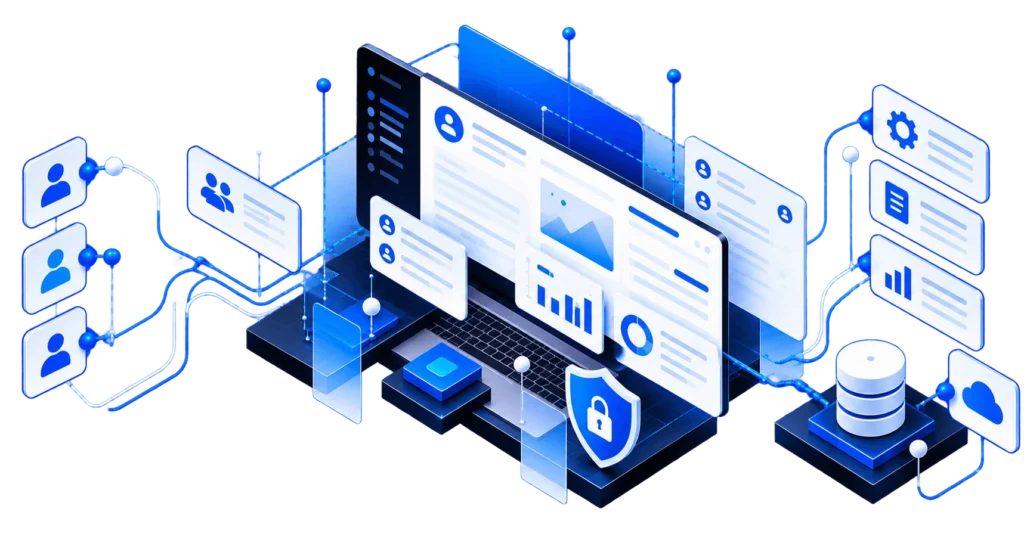
When a Portal Makes Sense
When Your Team Has Become the Interface Between Customers and Your Systems
Many portal projects begin with information that already exists but is difficult for customers, clients, members, vendors, or partners to access without asking someone on your team.
A request comes in by email. An employee looks up the information in another system. A document gets attached. A spreadsheet gets updated. A status question gets answered manually. The same process happens again for the next account.
A custom portal may make sense when:
-
Customers repeatedly contact your team for information they could securely access themselves.
-
Documents, reports, invoices, files, or account information are routinely exchanged through email.
-
External users need different information or functionality depending on their organization, account, or role.
-
Orders, requests, approvals, onboarding, or other workflows still depend on forms, spreadsheets, PDFs, or email threads.
-
Your staff repeatedly moves information between customer-facing processes and internal systems.
-
Existing portal software requires significant workarounds to fit the process.
-
Customers need access to information stored across several business systems.
Built Around Your Users
A Portal Built Around the Relationship You Have With Your Users
A useful portal is more than a login screen and a dashboard.
It needs to understand who the user is, which organization or account they belong to, what information they are allowed to access, what actions they can perform, and how those actions connect to the systems your team already uses.
That can be relatively simple, such as giving clients secure access to documents and project information. It can also involve complex account structures, approval workflows, ordering, payments, reporting, integrations, and different permission levels across hundreds or thousands of users.
We design the portal around those relationships and workflows rather than forcing them into a generic portal template.
Portal Development
Portals for Customers, Clients, Members, Partners, Vendors, and B2B Users
Different organizations use different language for their external users. The underlying application requirements often overlap: secure access, account-specific information, controlled permissions, workflows, communication, and integration with existing business systems.
Client Portals
Give clients secure access to projects, documents, messages, reports, deliverables, requests, approvals, account information, and other parts of an ongoing service relationship.
Customer Portals
Provide self-service access to account information, orders, payments, support, documents, reporting, requests, and other services customers would otherwise need your team to provide manually.
B2B Portals
Support organization-level accounts, multiple users, customer-specific pricing, ordering, quotes, approvals, invoices, documents, and other workflows between businesses.
Member Portals
Give members access to profiles, resources, documents, applications, renewals, payments, reporting, and organization-specific services.
Partner and Dealer Portals
Give partners, dealers, distributors, or resellers controlled access to resources, accounts, requests, activity, documents, and workflows connected to your organization.
Vendor and Supplier Portals
Coordinate onboarding, documents, submissions, approvals, status information, account management, and other vendor workflows through controlled external access.
What Users Need to Do
What a Custom Portal Can Do
Portal functionality should follow the work users actually need to accomplish. A focused portal may handle a few important self-service tasks, while a larger portal can become a substantial business application.
Accounts, Roles, and Permissions
Manage users, organizations, locations, team members, roles, permissions, and other account structures while controlling what different users can see and do.
Documents and Information
Give users secure access to reports, contracts, invoices, statements, project files, resources, account information, uploads, and downloads.
Orders, Requests, and Workflows
Let users place orders, submit requests, provide information, upload files, complete forms, approve work, and move through business-specific processes.
Status and Progress
Show users the current state of orders, projects, applications, requests, onboarding, deliveries, approvals, or other processes without requiring manual status updates.
Payments and Billing
Support invoices, payment processing, subscriptions, account balances, transaction history, and other financial workflows when they belong inside the portal.
Communication, Dashboards, and Reporting
Keep relevant messages, notifications, activity, metrics, history, and reporting connected to the account or workflow they belong to.
Reduce Manual Service Work
Move Repetitive Customer Requests Into Self-Service
A portal can reduce the amount of routine work required to maintain a customer or partner relationship without removing the people who provide real value.
When users can securely retrieve a document, check a status, submit a request, update account information, review a report, make a payment, or complete an approval themselves, your team no longer has to act as the middleman for every interaction.
That can reduce repetitive administrative work while giving users faster access to the information and services they need.
Self-service works best when it removes repetitive work without making the customer relationship harder.
Connected to Your Existing Systems
Your Portal Should Not Become Another Data Silo
The information customers need often already lives somewhere else.
Orders may live in an ERP. Customer records may live in a CRM. Payments may run through a billing platform. Documents may be stored elsewhere. Operational data may come from an existing application or database.
A custom portal can provide controlled access to information across those systems without requiring your team to manually move it into another customer-facing process.
Depending on the workflow, the portal may integrate with CRMs, ERPs, payment and accounting platforms, document storage, support systems, identity providers, existing databases, internal applications, and third-party APIs.
The portal can read from, write to, or coordinate between those systems according to the requirements of the application.
Access Control
Designed Around Who Can See and Do What
External users should never receive access simply because the application happens to contain the information they need.
Portal architecture needs clear boundaries between users, accounts, organizations, roles, data, and actions.
Depending on the application, that can include secure authentication, account invitations, multi-factor authentication or single sign-on, role-based permissions, organization-level access controls, data isolation, audit history, and administrative tools for managing accounts and access.
Those boundaries are part of the application architecture from the beginning, particularly when multiple organizations or user types share the same portal.
Build or Buy?
Custom Portal Development or an Existing Portal Platform?
Not every organization needs a custom portal.
If an existing platform supports your users, workflows, integrations, permissions, and reporting requirements at a reasonable cost, using that product may be the better decision.
An existing portal product may be enough when:
-
Your requirements are relatively standard.
-
Users need a limited set of common self-service features.
-
The platform integrates adequately with your core systems.
-
Its account and permission model fits your organization.
-
Subscription and per-user costs remain reasonable as usage grows.
A custom portal may make more sense when:
-
Your users need business-specific workflows or functionality.
-
Several internal systems need to appear through one customer-facing experience.
-
Account structures, roles, or permissions are unusually complex.
-
Generic portal software requires substantial manual workarounds.
-
The portal is an important part of how your organization delivers its services.
-
Owning and controlling the application's future development creates meaningful long-term value.
How We Build Portals
Start With Users, Access, Workflows, and Systems
Portal projects become difficult when development begins with screens before the underlying relationships are understood.
We start by defining who needs access, what they need to accomplish, which information they should be able to see, and where that information comes from.
Define Users and Access
Identify the customers, clients, partners, members, vendors, administrators, and other roles using the portal. Establish account boundaries, permissions, organization structures, and sensitive-data requirements before they become embedded throughout the application.
Map Workflows and Systems
Understand the tasks users need to complete, the business processes behind them, which systems hold the required information, and how data needs to move between those systems.
Design, Build, and Integrate
Turn those requirements into an interface and application architecture, then develop the workflows, business logic, integrations, administrative tools, and supporting infrastructure.
Test and Launch
Test critical workflows, permissions, account isolation, integrations, data handling, and edge cases before external users depend on the portal. After launch, production behavior and user feedback can guide continued improvements.
After Launch
A Portal Can Grow With the Relationship
A successful portal often becomes more useful after people begin relying on it.
Customers adopt self-service workflows. Internal teams move additional processes into the application. New integrations become worthwhile. Different user roles or reporting requirements appear.
The portal should leave room for that kind of realistic growth without trying to predict every future feature during the first release.
After launch, we can continue supporting the application through maintenance, integrations, enhancements, and future development phases.
Client & Customer Portal Development FAQs
What is a client or customer portal?
A client or customer portal is a secure web application that gives external users controlled access to information, documents, communication, workflows, account functionality, or services related to their relationship with a business or organization.
The terms often describe similar applications. “Client portal” is common in professional and service relationships, while “customer portal” is often used for broader customer self-service.
What can a custom customer portal include?
A portal can include account management, documents, messaging, payments, orders, requests, approvals, status tracking, reporting, onboarding, dashboards, notifications, and integrations with existing business systems.
The functionality should be based on what users actually need to accomplish rather than a predetermined feature list.
Can you build B2B, member, partner, or vendor portals?
Yes. Portals can support different external relationships including B2B customers, members, partners, dealers, distributors, vendors, and suppliers.
That can include organization-level accounts, multiple users, roles and permissions, account-specific information, ordering, approvals, documents, reporting, payments, and business-specific workflows.
Can a portal integrate with our CRM, ERP, or other existing systems?
Yes, when those systems provide an appropriate integration path. A portal can exchange information with CRMs, ERPs, accounting platforms, payment systems, support software, document storage, existing applications, databases, and other APIs.
Should we build a custom portal or use existing portal software?
If an existing product supports your users, workflows, permissions, integrations, and expected usage without significant compromises, it may be the better choice.
Custom development becomes more useful when the portal needs business-specific functionality, complex integrations, unusual account structures, or workflows that generic platforms cannot support effectively.
How much does custom portal development cost?
Cost depends on the number of user types, workflows, integrations, design requirements, business rules, security requirements, data complexity, administrative functionality, and overall scope.
Most of our development engagements start at $5,000. Larger B2B or operational portals can require tens of thousands of dollars or more, and complex projects can be divided into discovery and implementation phases before committing to a larger build.
Start a Portal Project
Give Users a Better Way to Work With Your Business
Tell us who needs access, what they need to accomplish, how the process works today, and which systems are already involved.
We can help determine whether a custom portal makes sense and what the first useful version should actually include.